Friday, January 14, 2011

Thursday, January 13, 2011
Wednesday, January 12, 2011
Tuesday, January 11, 2011
Curriculum 21 in ACTION: PD in PJ's
Andrea Hernandez: I’ve always gravitated toward collaboration at work. Even in the 20th century, I tended to seek out other teachers for collaborating and team-teaching situations. I think that I am at a point now where I am unable to work alone. So, when I sat down at my desk Sunday morning to think about getting started with a poetry unit for 4th grade, it seemed like a natural first step to tweet it out and hope that someone would share a promising link or idea.

Mike Fisher: Previous to Twitter and 21st Century interactions, this is something that might happen in a professional development workshop. It’s something that might develop over time, or necessitate an instructional coaching arc. But, this weekend, it happened in a online collaborative environment--an environment that breeds quick ideas and solutions, and offers opportunities for multiple perspectives and contributions.
Mike: The original tweet prompted this one:

Andrea: I didn’t think of starting the google doc myself, even though I have seen some examples of this type of twitter-collaboration. Sometimes, I guess you just don’t think to do something until you have actually done it yourself and seen, firsthand, the benefits. Sometimes it takes a while for a new idea to actually become a new personal habit. So I was excited that Mike started the Google Doc and was willing to generously spend some of his Sunday morning lesson planning with me, a virtual colleague. As soon as I opened the doc and saw the ideas that were already shared, my own ideas started to flow.
Mike: In the space of just a few minutes, the Google Doc was created, tweeted out, and open to all contributions. A plethora of ideas bloomed over the course of about 15 minutes. You can see the document, in its current state, by CLICKING HERE. By clicking on the Revision History in the Google Doc, you can see the number of edits that happened in the first 15 minutes. Andrea and I both were impressed with the quick contributions, and how the ideas grew from just one quick tweet!

Andrea: I tried to explain to a colleague this morning, using the analogy of exercise. When you first start moving, you’re a little stiff. It takes some time to warm up and get into the groove. Collaborating helps me warm up. It helps me break through the blank page staring back at me, and it helps me approach the task with a little more of a light heart. There is something about sharing ideas in a Google Doc especially- you can almost watch the thoughts hatch and develop.

Mike: What was fun too is that we actually were doing “PD in PJ’s!” It really is a whole new world of educational opportunities when you can get what you need at the moment you need it. The web is allowing us to do anywhere, anytime, any topic Professional Development that is personally meaningful and perfectly situated. This is what Curriculum 21 is all about!
Andrea: How wonderful to have access to educators all over the world who are so passionate about teaching and learning that they choose to work on a Sunday morning with someone they’ve never personally met. Though we’ve not yet met in person, we’re hardly strangers. We are colleagues.
Mike: In the Global classroom, we are ALL colleagues!
If you are interested in joining the conversation, you can interact with your own PLN and develop collaborative events like this one. You can contribute to the GOOGLE DOC we created. You can visit the Curriculum 21 Website or you can come to the Curriculum 21 Institute this summer in Saratoga Springs. Additionally, Curriculum 21, the book, is available through ASCD’s website.
Monday, January 10, 2011
Sunday, January 9, 2011
Saturday, January 8, 2011
Friday, January 7, 2011
Thursday, January 6, 2011
Get Ready, Here She Comes...

We got the papers in the mail today. It’s official. My baby is going to school this Fall.
In some respects, I’m happy. She loves to learn and has already started “playing” school. She loves to be creative and she loves playing with other kids. However, I’m also a little concerned. For one, I can’t believe our little baby is already old enough to go to school. And, I’m concerned about what educational journey lays ahead for her. With UPK (Universal Pre-Kindergarten) in the mix, she’ll be in the system for 14 years before college. (Assuming the current traditional notion of “grades” and the hierarchy of what’s appropriate at specific ages stays in place--and I’m not certain it will...)
In a recent keynote, I showed the conference participants a picture of my daughter. The picture showed her independently navigating the Facebook page for the Dinosaurs that were on exhibit at our local science museum. She knows how to independently work both the iPod and the iPad, choosing games, applications, and books she wants to interact with. She navigates the Nick Jr. website on her own. With help on Skype, she’s video chatted with her grandparents, helped to read books to 2nd graders in North Carolina, and chatted with folks in New Zealand and England. She has her own blog with pictures she took. (Though she does have a little help uploading them!) For her, technology is as common as air, and she doesn’t know the world as a “what if” zone. She knows the world as a “what next” zone. Everything is possible. Her mother and I can’t undo that. That world is her reality.
With that in mind, this is what I hope she experiences:
- I hope she is valued for what she brings to the table.
- I hope she gets to be creative, often.
- I hope her opportunities extend well beyond the walls of the classroom.
- I hope she enjoys learning.
- I hope her teachers know that her mother and I will support them.
- I hope she is prepared for 2025 well before it gets here.
- Right now, her plan is to open a restaurant when she is older. At the moment, her menu only includes rice and salmon, but I hope that every single dream she has is believed in, supported, enhanced, and expanded.
I am specifically and consciously not saying that I expect her to use this gadget or that tool, or that this methodology is better than that methodology. Those things are ephemeral. I want to see a strong focus on curriculum, connections, and lots of choices around proving that learning is happening. I want to see her work with her peers both in the classroom and around the world to create products of value that prepare her to fully take advantage of the world she’ll be graduating into. I want her to have the opportunity to solve real problems with depth and complexity, and make an authentic contribution to her world while she learns to independently navigate it and plumb it’s every nook and cranny. (And also to experience the joy in the discovery of what the world has to offer.)
I want her teachers to be willing to teach and reach beyond the box, to be innovative.
I want her teachers to be partners in her learning.
I want them to be passionate beacons. I want them to be uplifting, forward-thinking champions of humanity. I want them to be engaging, inspirational, and spirited.
It probably wouldn’t be a bad idea if they were also well caffeinated. There’s a connected, charismatic, and curious little girl heading their way. My little girl.
Get Ready! Here she comes...
Tuesday, January 4, 2011
Sunday, January 2, 2011
Saturday, January 1, 2011
Thursday, December 30, 2010
11 Bright Ideas for 2011
Free website - Powered By Wix.com
· Animoto - Animoto.com is a web application that creates MTV-style videos with the click of a button. It represents the end of slideshows as you know them!
· Diigo – The web’s premier bookmarking, annotating, and social service, all rolled into one!
· Dropbox - Dropbox allows you to sync your files online and across your computers automatically. Access your files anywhere, anytime, even on your mobile device!
· Edmodo - Edmodo is a social learning network for teachers, students, schools and districts.
· Glogster - Glogster EDU Premium is a collaborative online learning platform for teachers and students to express their creativity, knowledge, ideas and skills in the classroom.
· LiveBinders - "Think of Livebinders as a virtual 3 ring binder that you can put pretty much anything in. Webpage, PDF, image, video, text: they all can go into a page organized for you. Each item can be on it’s own tab or you can further organize by using sub-tabs. You can even put LiveBinders inside LiveBinders inside LiveBinders!!"
-- Melissa Edwards - The Inspired Classroom
· Prezi - Create astonishing presentations live and on the web
· Skype – Chat, Audio chat, Video Chat, Call Phones, Send Files, Share your computer Screen, share links and more with this incredible service. Connect to people all over the world!
· Storybird - Storybirds are short, art-inspired stories you make to share, read, and print. Read them like books, play them like games, and send them like greeting cards. They’re curiously fun.
· WallWisher – An online corkboard! Collaboratively collect notes, pictures, links, etc. Add items the way you would add a Post-It Note to a message board!
· xTraNormal – If you can type, you can make movies! (xTraNormal State is free, and new users to the web version get 300 xpoints to make movies with!)
Wednesday, December 29, 2010
Tuesday, December 28, 2010
Monday, December 27, 2010
Sunday, December 26, 2010
DIGIGOGY End of Year CONTEST!
I'm giving away 5 of the brand new DIGIGOGY 2011 Calendar Magnets to random respondents to the survey.
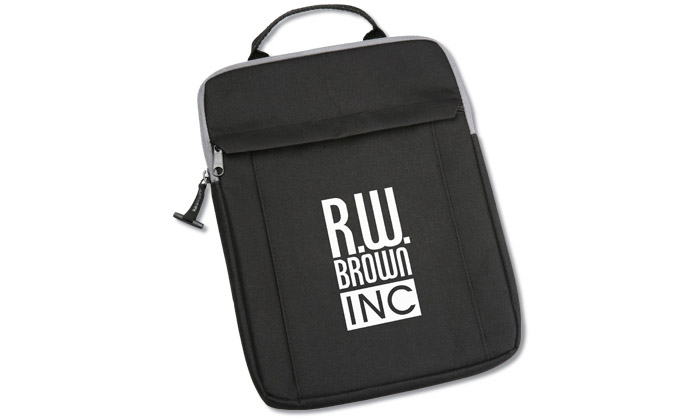
1 Winner will get the Traveler Media Sleeve I got at a recent conference. The sleeve pictured is an example of what it looks like, but the screen printing on the one I have reads NYSCATE and Skills Tutor, as they were the vendors that sponsored the bags! These sleeves would be great for an iPad, digital tablet, or netBook computer. If you want to be considered for the contest, please leave your email address in the survey.